burningbridgesvideo.net
How to make a Burning Bridges AI video
A visual walkthrough of our real photo-to-video interface, from choosing a photo to saving your private MP4.
You need one clear photo of yourself or another consenting adult and a delivery email. The result is a 15-second 720p vertical 9:16 MP4. It costs $3.99 USD for one video or $9.99 for three. No account or custom prompt is needed.
Check the Burning Bridges AI example and choose your photo
Watch the full product sample. Choose one clear, well-lit photo of a consenting adult, with eyes, forehead and shoulders visible.
Play the complete product sample before buying. Use a well-lit portrait with visible eyes, forehead and shoulders. Avoid group photos, sunglasses and heavy blur. Our scene places one adult in a chandelier-lit party with a hand-over-the-eyes gesture; it does not recreate a specific movie cast or football team.
Input portrait
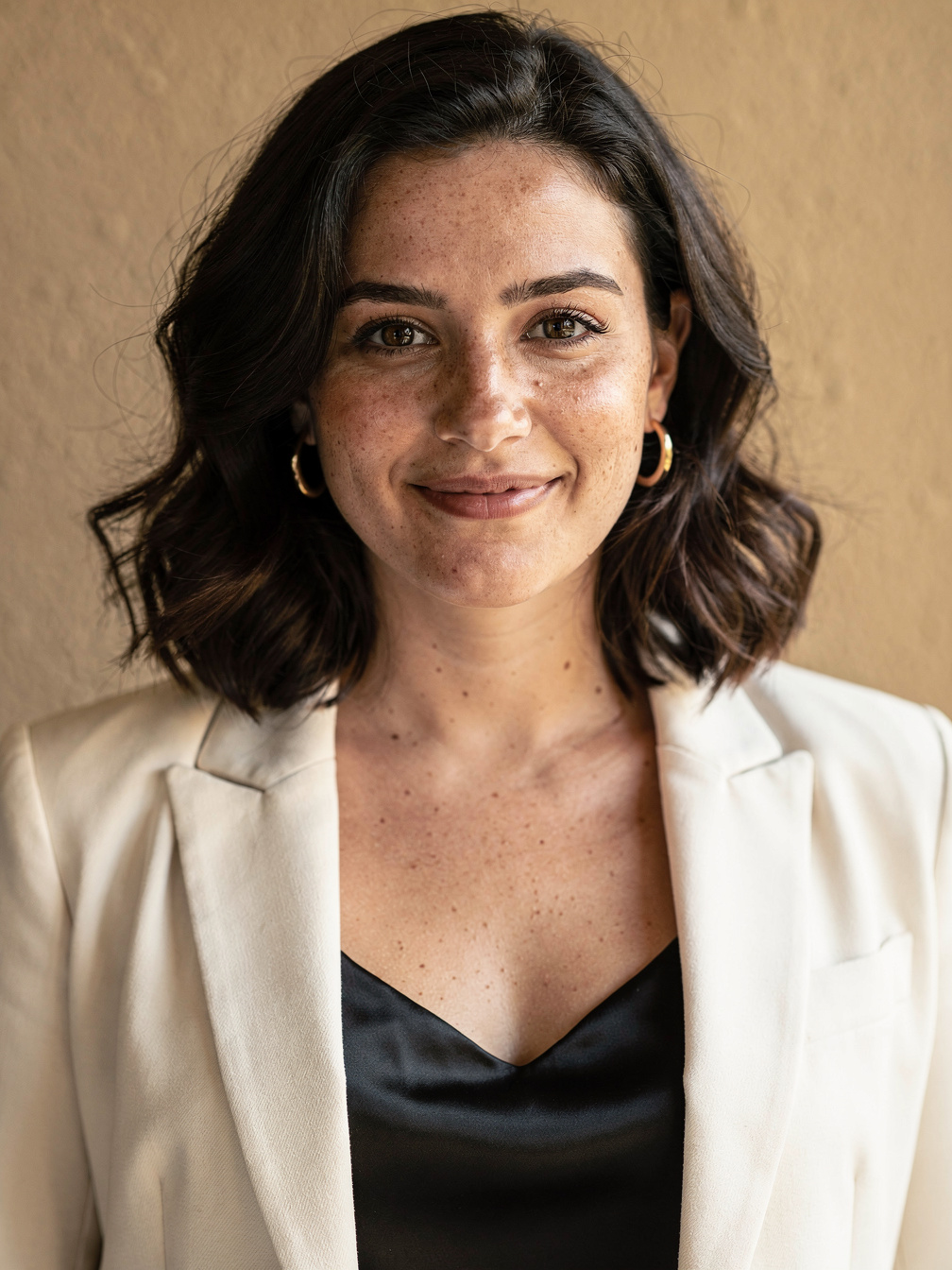
Actual generated sample
Choose your photo file, delivery email and video pack
Open the generator, select a supported photo file within the limit shown, enter your delivery email and choose one video or the 3-video pack.
Open the generator on burningbridgesvideo.net. Select a supported photo file within the size limit shown. Enter an email you can access, then choose Single Video or the 3-Video Pack. The pack creates separate renders using the photo you submitted. Check the total and confirm that everyone pictured is an adult who agreed to the upload.
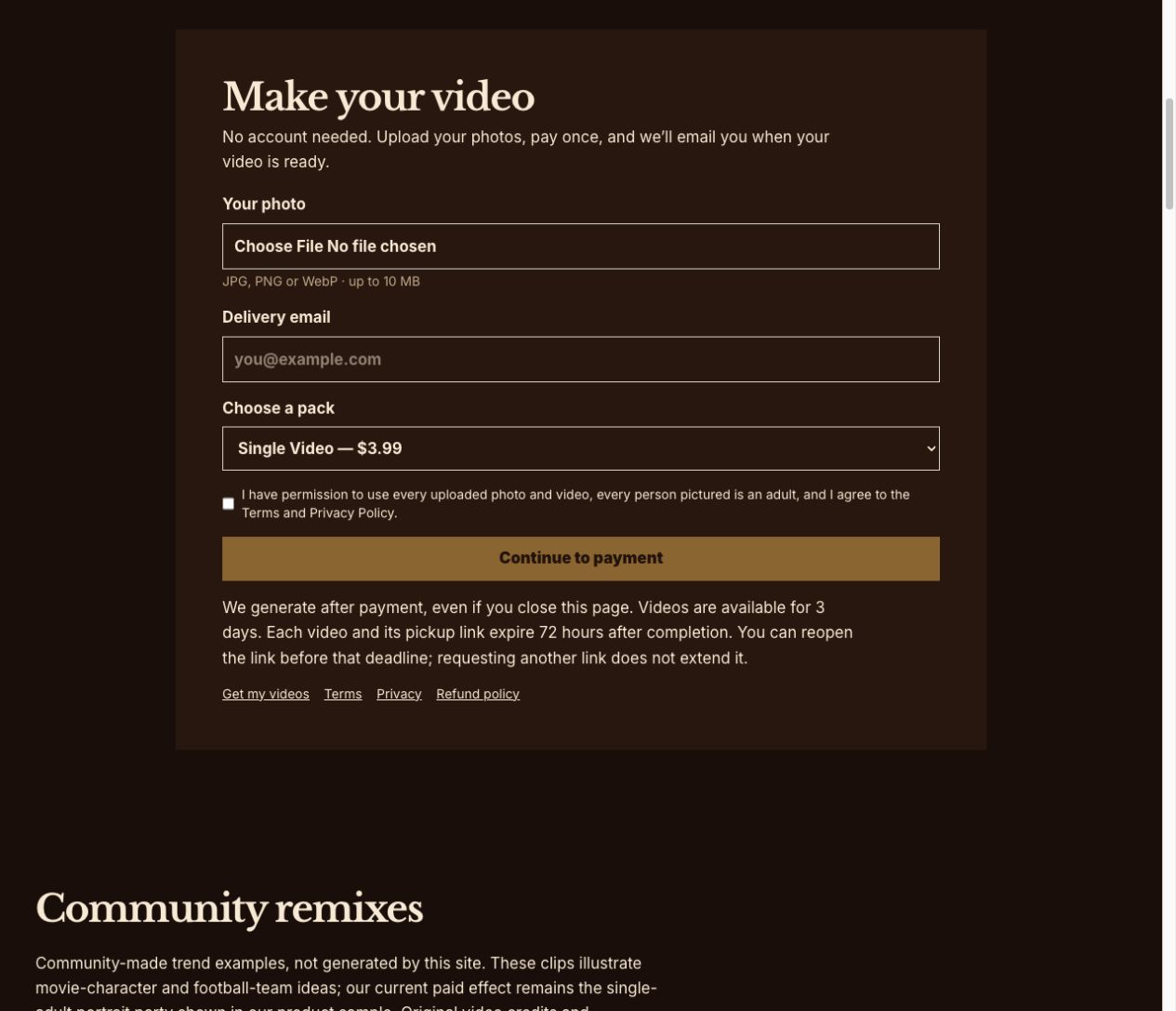
Pay once; background generation starts automatically
Review checkout and pay once. After payment confirmation, generation and safety checks run in the background. Processing time varies; do not pay again for a pending job.
Continue to payment opens checkout after the photo is uploaded privately. Review the amount before paying. Once payment is confirmed, the new guest order runs in the background, including input and output moderation. You can close the page. Processing time varies; do not submit another order just because the first one is still pending.
Open your private email link and save the MP4
Download the completed video through your private email link within 72 hours after completion. A replacement link does not extend that deadline.
When the video is ready, follow the private pickup link sent to your checkout email. If the message is missing, check spam and use Get my videos with that same address. Never post a pickup link publicly.
Download within 72 hours after completion. A new link does not restart that deadline. Source photos are retained for up to 24 hours after upload; provider retention is explained in our Privacy Policy.
Add the Burning Bridges sound on TikTok, Reels or Shorts
Preview the MP4 in your posting app and keep captions clear of the face and moving hand. Our file has a generated beat, not the Drake song. If the song is available for your account, add it through the platform’s music library and adjust the original clip volume. Availability and usage rights vary by account and region. Identify your post as AI-generated where the platform requires it.
To line the song up, find the moment the hand reaches the forehead and move the sound excerpt so its strongest beat lands there. Listen once before posting; if the two tracks compete, lower the generated clip or mute it.
What you need before making a Burning Bridges AI video
Have a photo you are allowed to use, an email address you can open, and a way to complete checkout. Watch our own input-to-output sample first. The community movie-cast and football-team remixes show other creators’ ideas and are labeled separately; they do not demonstrate extra effects in our generator. Decide whether the single-adult party is the result you want before buying. The scene, duration and format are fixed, so paying for a larger pack does not unlock cast selection or a custom prompt.
Photo tips for the Burning Bridges AI party scene
Choose a portrait in even daylight with the head facing the camera. Leave space above the forehead because the signature move raises a hand toward the eyes. A close crop that cuts off the head gives the model less information; a distant full-body picture makes the face harder to read. Avoid group photos, dark glasses, heavy beauty filters and strong shadows. Cropping a group photo to one consenting adult is reasonable if the remaining face is still clear. Do not upload minors or a person who did not agree to the use.
The result is generated rather than filmed. Your hairstyle, hands, expression or clothing can change during movement. Better lighting helps the input, but it cannot guarantee exact likeness or frame-by-frame choreography. Review the full downloaded clip before posting, including the hand near the forehead and the end of the cup raise. If realism matters more than the playful effect, consider whether filming your own party gesture would serve the post better.
DIY with Kling or Higgsfield versus a one-photo generator
A general video tool gives you a wider creative brief but requires you to select a supported model, describe the room and motion, and check its current input and export rules. Read the chosen tool’s own instructions; do not assume every workflow accepts a photo or produces the same sound. Budget for attempts and editing before starting. CapCut can help arrange footage and captions, but a matching trend preset is not guaranteed by having a video editor.
Our one-photo generator is useful when you want the published single-adult party scene without writing that brief. You give up selectable camera motion, custom cast, length and landscape framing. Compare the actual sample, final format, audio and price on the linked comparison page. A cheaper credit pack may cover a different resolution or duration. None of these comparisons promises that a paid attempt on another service will match our example.
Save and publish your Burning Bridges AI video on a phone
Use a stable connection for the download, then check Files or Downloads if the MP4 does not appear in Photos. Open it locally before leaving the pickup page. Import the saved file into your posting app and inspect the preview: captions, account names and buttons may cover the edge of the frame. Keep text away from the face and hand. Save your own copy before the private link expires; forwarding an email or requesting another link does not extend retention.
For TikTok or Reels, use a song offered to your account for the intended post. For Shorts, use the audio tools and permissions available in YouTube. Listen once with headphones to check whether the generated party beat competes with added music. If a track is missing, use a permitted alternative or keep the generated sound. The video purchase covers the render, not rights to a recording or endorsement from an artist.
If something goes wrong
- The photo is rejected. Use a supported format within the size limit shown, with one clear adult face.
- You paid but the order is not confirmed. Give payment confirmation a few minutes, then use Get my videos with the checkout email. Do not buy another pack while the first is unresolved. If it stays unconfirmed, contact Support with the order reference; never send card details.
- The job is still processing or under review. An uncertain provider result is held for review rather than rendered again, so you are not charged twice. Wait or contact Support; do not start a new order.
- The pickup email is missing. Check spam and promotions, then request a link with the same checkout email. A new link does not extend the 72-hour deadline, and an expired video cannot be restored.
- The MP4 is not in your gallery. Look in the browser’s Downloads list or the Files app, open it there and use the device’s save or share action.
- A paid job cannot be completed. Contact Support with the order reference and see the Refund Policy.
Burning Bridges AI questions before you choose
What does "Where she at?" mean?
It is the signature looking-for-someone gesture: a flat hand held above the eyes like a visor while scanning the room. Our fixed scene is designed around that move, a point at the camera and a cup raise. AI motion and hands can vary; watch the full sample before buying.
Is the Burning Bridges AI video free?
Watching the sample and reading the guides is free. Making a Burning Bridges AI video is paid; there is no free generation or personal preview render. $3.99 buys one video and $9.99 buys the 3-Video Pack.
How much does it cost?
Single Video is $3.99; 3-Video Pack is $9.99 for 3 videos. Both are one-off payments in USD, with no subscription. Each result is one 15-second 720p 9:16 MP4 with sound.
Can I make it on my phone or with CapCut?
Yes, the generator works in a mobile browser. Download the 9:16 vertical MP4 and import it into CapCut for captions or editing, or post to TikTok, Reels or Shorts. CapCut editing does not unlock a different scene here; check any separate AI feature’s requirements and charges.
Is my photo private?
The photo uploads privately when you submit checkout and is kept for up to 24 hours after upload. Photos and results undergo automated moderation. Guest videos and pickup links expire 3 days after completion. Existing account users can delete videos earlier. Providers have their own retention terms; see Privacy Policy.
Does checkout start my video automatically?
Yes. For a new guest order, confirmed payment starts background generation with the photo you submitted. Existing account credits still need a render submitted in Account workspace.